Print-Ready Artwork: A Simple Checklist to Avoid Delays

Most print delays have nothing to do with the press. They start with a file that is almost right: a missing bleed, a colour mode that shifts your brand blue, or a Word document that was never meant to be printed.
The good news is that almost every problem can be avoided in about ten minutes. Here is the Print Ready checklist, in plain English.
Start with a high-resolution PDF
A PDF is the safest way to send us artwork. It keeps your fonts, images and layout exactly where you put them. When you export, choose the high-quality or press-quality setting, then check these three things:
- Resolution: high, with images at 300dpi at the size they will be printed.
- Fonts: embed them all, or turn text into outlines so nothing swaps for a substitute.
- Colour: CMYK, not RGB.
If you are working in Photoshop, set the document to 300dpi from the start and save as TIFF or JPEG. In Illustrator, embed your images, outline your fonts and save as a PDF. In InDesign, use the Package function so your fonts and images travel with the file, and include a PDF so we can check nothing has moved.
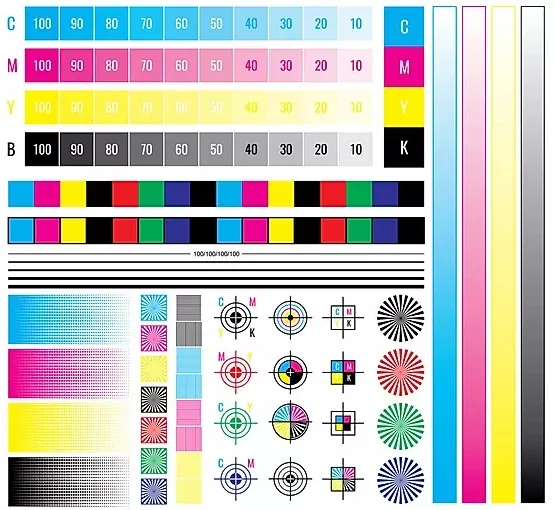
Colour bars and registration marks, the kind of guides a printer uses to check a sheet. Your own artwork needs crop marks and bleed.
Bleed: the 3mm that stops white edges
If a design runs to the edge of the page, it needs bleed. That means extending your background colour or photo 3mm beyond every side of the finished size. We trim back to the crop marks, and the bleed makes sure a tiny cutting shift never leaves a white sliver.
For example, A5 is 148mm x 210mm. With 3mm bleed on each side, your file should be 154mm x 216mm. Add crop marks, and keep important text and logos at least 5mm inside the cut edge.
Do not draw a border around the page. Cutting has a small tolerance, so a thin border can end up looking uneven.
Colour: what you see is not always what prints
- Set your file to CMYK. RGB artwork is converted for us, and that can change your colours, especially bright blues, greens and oranges.
- If you want a greyscale job, set the file to greyscale.
- For black text, use 100% black rather than a mix of the four colours. It keeps small type crisp.
- Spot colours such as Pantone, silver and gold metallics are not produced by digital CMYK printing. A metallic gold will print as a deep yellow. If you need a true spot colour, talk to us and we will go through the options and quote it separately.
Pictures: the original beats the screenshot
Photos shared through social media or messaging apps are compressed. They look fine on a phone and soft on an A3 poster. Go back to the original photo from the camera or phone wherever you can.
Try to build your artwork at its actual print size. Scaling a small image up to a large one loses sharpness, so an A6 design blown up to A4 will not look as good as one made at A4.
A few jobs have their own rules
- Wire-bound booklets: leave a 10mm margin on the bound side so nothing hides behind the wire.
- Spiral-bound calendars and brochures: keep content at least 20mm from the binding edge.
- Folded items: leave at least 5mm either side of a fold.
- Envelopes: use a 2mm trim allowance instead of 3mm.
- Files for printing: send one page, actual size, one up. Please do not impose pages or send printer's pairs. We take care of that.
Word, Excel and PowerPoint
We cannot print straight from Word, Excel, PowerPoint or Publisher files. Convert your document to a PDF first, using the Save as PDF option or any free online converter. It helps if you also send a screenshot of the original, so we can see how it was meant to look.
Proof twice, print once
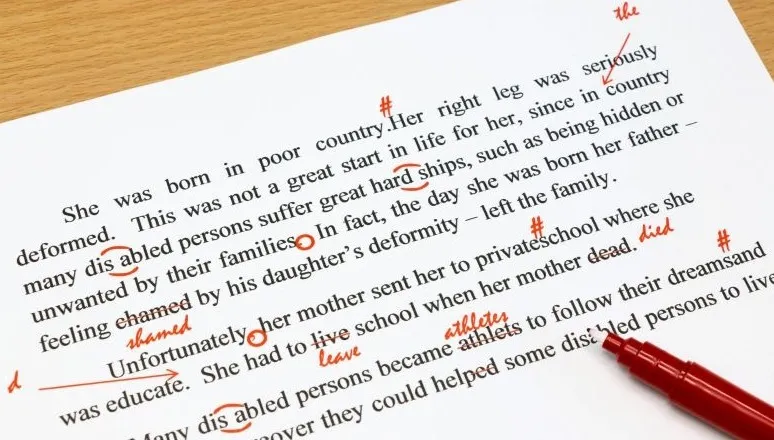
Carpenters say "measure twice, cut once". In print, we say proof twice, print once. Before you approve anything, read every word, check every phone number, email address and date, and ask someone else to do the same. Once you approve the proof, any mistake in it is yours, and once it is printed it is too late to fix.
If you would like one of our team to look over your artwork first, ask us. It is an optional service, and we are happy to explain how it works.
Quick checklist
- PDF, high resolution, fonts embedded or outlined
- CMYK colour mode
- Images at 300dpi at final size
- 3mm bleed and crop marks
- Text and logos 5mm inside the trim
- Single pages, actual size, not imposed
- Proofread, then proofread again
Not sure about a file? Send it over before you order and the team will take a look. You can also read more in our Bleed and Margins guide, or get in touch.